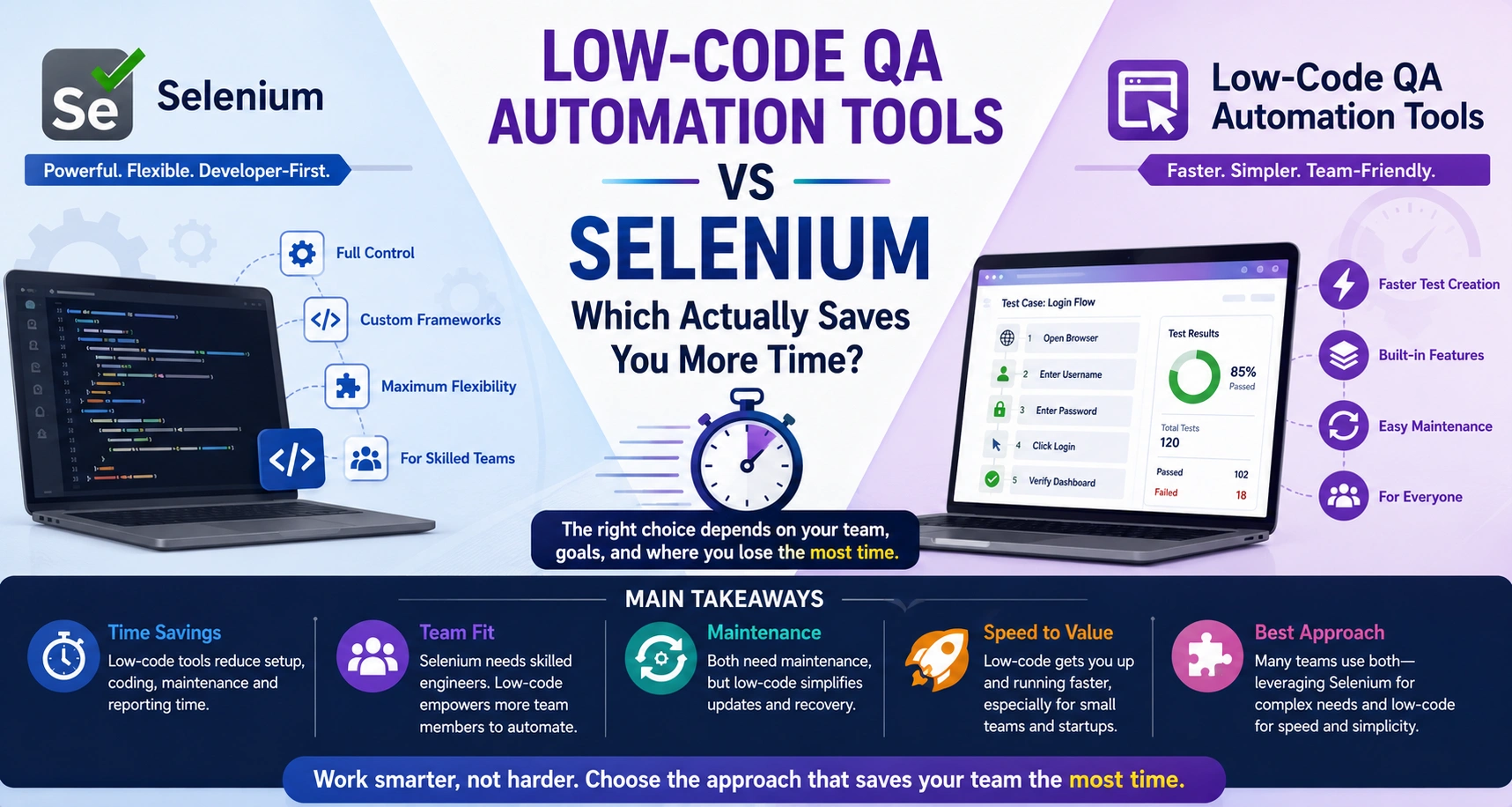
Selenium gives you deep control, but that control can cost time in setup, coding, debugging, reporting, and maintenance. Low-code QA automation tools save time by cutting down that friction and helping teams create, run, and manage tests faster. If your team has strong engineering support and needs full customization, Selenium still makes sense. But if speed, simpler maintenance, and wider QA participation matter more, low-code is usually the faster path.
The first thing most teams ask when jumping into test automation is, “Should we use Selenium, or go for a low-code QA automation tool?” It’s a fair question, and you can bet plenty of companies have found success using either path. Selenium is the old reliable in the world of web testing, while low-code platforms have been shaking things up by promising faster results and less technical hassle.
A lot of side-by-side comparisons dive into features, how much coding you need, pricing models, integrations, but honestly, none of that matters as much to QA leads and engineering managers as this: which approach will actually give us more time?
There’s no clear-cut winner here. It really comes down to where your team spends energy now, and what you expect from test automation down the road.
Why Time Savings Matter More Than Features
Most companies start out wanting to cut down on manual testing and ship faster. Pretty quickly, they figure out that automation isn’t just about churning out test scripts. There’s setup, environment config, building and running the tests, reports, endless debugging, ongoing maintenance, and keeping everyone in the loop. Writing test cases is just one small piece of that puzzle.
That’s why the debate between Selenium and low-code tools keeps popping up. Teams aren’t looking for bragging rights about owning the “most powerful” tool. They just want something that gets solid results with as little friction as possible.
Time savings show up in all sorts of places. You might cut time by reducing how much you have to code. Or maybe you save by needing less time to maintain stuff. Sometimes, big organizations save time because their system is flexible enough to handle changes without constant rewrites.
So, the real challenge is figuring out where you’re losing the most time now, not which tool has the shiniest checklist of features.
Where Teams Really Lose Time in Test Automation
Ask any QA veteran, and they'll tell you: creating tests isn’t the hard part. Keeping those tests working, as your app evolves and grows over the months and years, is where things get tough. UIs change, features pop up, old workflows get tweaked, all of it can break your automated tests.
With Selenium, teams usually put in a lot of effort building and maintaining all the “extras”, reporting, reusable code bits, browser configs, plugging into CI/CD, handling test data, tracking down weird bugs. These give you lots of control and flexibility, but they also demand ongoing attention.
Low-code platforms popped up because a lot of companies got tired of wrestling with pieced-together toolchains. They wanted one place to manage test creation, execution, and oversight, without spending weeks or months on setup.
That doesn’t mean low-code tools magically erase maintenance, tests still break when code changes, no matter the platform. What they do is take away a chunk of the busywork involved in building and running the infrastructure.
A lot of organizations look up after a while and realize they’re spending just as much time keeping their automation alive as they are actually checking their software. That’s usually the “aha” moment that pushes people to try new approaches.
Where Selenium Saves Time (and Where It Doesn’t)
The Advantages of Selenium
Selenium is still incredibly popular, and for good reason. When you need raw power and customization, it delivers. Teams with experienced automation engineers can mold Selenium to fit their own workflows, hook up whatever tools they want, and keep everything just how they like it.
The Hidden Costs of Selenium
But control means responsibility. Before you get to all that flexibility, you need to invest the time to learn a language, sketch out the right frameworks, pick supporting libraries, and figure out reporting and execution. All that adds up, especially at the beginning.
That’s why QA folks talk about the “hidden cost” of Selenium. Sure, it’s open-source, but turning it into a real, fully functioning automation setup usually means you need people with serious technical skills.
For teams with those resources, great. But if you’re working with a small crew or just dipping your toes into automation, the overhead can slow you down more than you’d like.
Where Low-Code QA Automation Actually Saves Time (and Where It Doesn’t)
Why Teams Choose Low-Code Automation
Low-code platforms come at the problem from the opposite direction. Instead of maximizing control, they focus on making it easy to get started, quickly.
Speed is the name of the game here. Teams don’t have to build entire frameworks or dive deep into advanced coding just to automate simple checks. That’s super helpful, especially for manual testers or smaller QA teams that want to spread automation responsibility wider.
A lot of low-code tools include stuff you’d otherwise have to bolt together yourself: reporting, screenshots, scheduling test runs, plugging into other tools, and keeping test suites organized. It’s all under one roof, so you get to delivering value faster. Platforms like Testknot are built around this idea, they let you create, run, and report on tests all in one place instead of juggling a pile of different tools.
The Limitations of Low-Code Automation
But let’s keep it real, low-code isn’t some silver bullet. If your product is tricky, you’ll still need to plan your tests carefully and maintain them over time. You won’t avoid all the hard work, but you’ll avoid lots of unnecessary work.
Real-World Scenarios: Where Does Each Approach Shine?
Scenario 1: Small Startup Teams
Picture a small startup, two QA folks, tight deadlines, lots of releases. Their mission: ramp up test coverage, fast, and without bringing on an automation architect. A low-code platform lets them hit their goals sooner because they’re spending more time actually testing and less time setting up frameworks.
Scenario 2: Large Enterprise Teams
Now think about a big enterprise with a whole squad of SDETs and automation engineers, maybe a complex product, or particular testing needs. Here, Selenium’s flexibility is a win, these teams can build their dream framework, because they’ve got the people to support it.
Bottom line: No single approach is “the best.”
The right choice depends on your team, how technical they are, how complex your projects are, how fast you ship, and your long-term goals for automation.
Heaps of companies aren’t even picking between Selenium and low-code anymore. They’re blending best practices from both to reduce overhead and get more done.
Summary
Don’t get hung up on which tool is “better” in the abstract, Selenium or low-code. Focus on this: where does your team actually lose the most time right now?
If you want full control, endless customization, and your team can handle the technical details, stick with Selenium.
If you need to move quickly, get rid of long setup cycles, and spread automation out to more people, a low-code platform could get you there faster.
In the end, time savings come from working smarter, not just picking the newest or most flexible tool. For many modern QA teams, that’s why low-code platforms are gaining so much ground, because they actually let you focus on the stuff that matters: better software, fewer headaches.